

Abstract
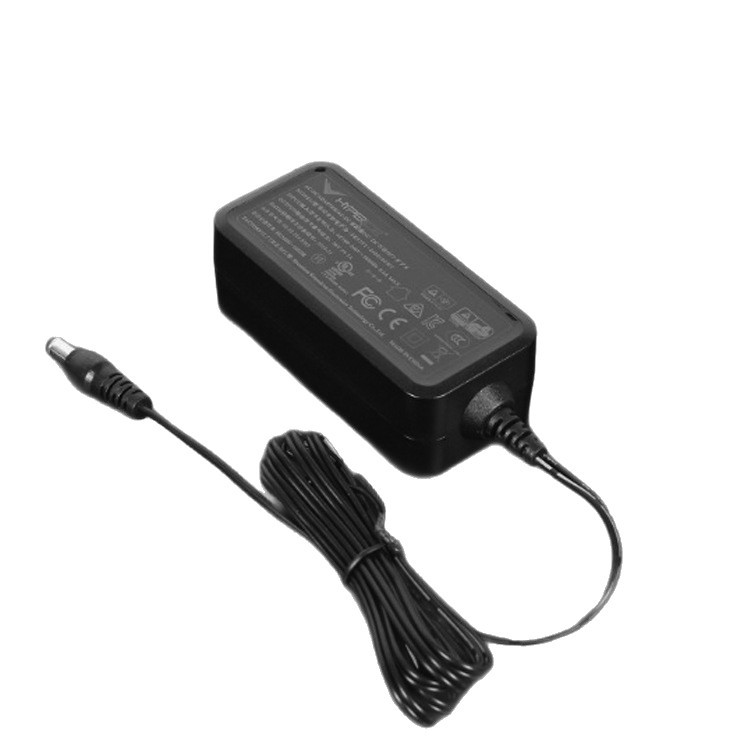
On a desk, a desktop power adapter may be covered, splashed or stacked, and its stability plus ventilation space decide safety in real desktop conditions for the desktop power adapter.
1. Placement Stability and Anti-tipping
Proportions of the desktop power adapter affect stability, and taller bodies tip more easily when cords pull. A wider base, lower centre of gravity or anti-slip feet improve stability of the desktop power adapter. On tilted desks the centre of gravity shifts, so structure should stay stable at a reasonable incline.
2. Ventilation Blockage and Stacking
When covered by papers, books or other equipment, the desktop power adapter loses airflow and internal temperature rises. In cabinets or stacks, hot air from lower units enters upper intakes of the desktop power adapter. Instructions should state minimum clearance so users do not squeeze the unit into tight spaces.
3. Liquid Splash and Cleaning
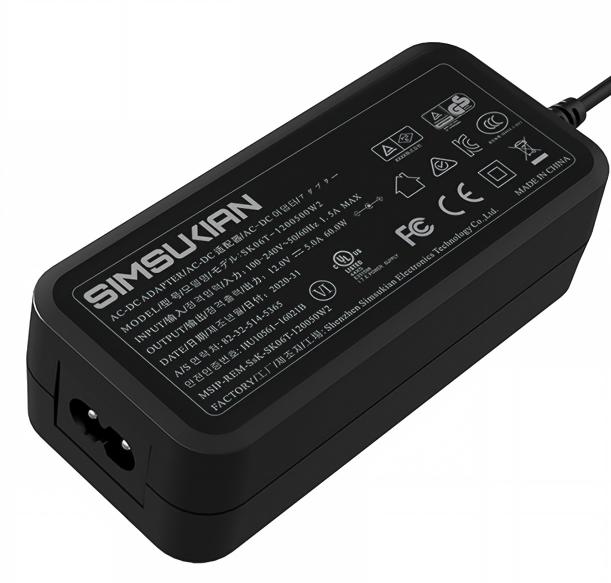
Near cups or vases, the desktop power adapter may be splashed, and liquid entering openings causes short circuits or corrosion. Openings should avoid top and side splash zones or include splash guards in the desktop power adapter. Cleaning happens after unplugging, with no wet wiping of live parts or spray cleaning.
4. Desk Material and Heat Transfer
Bottom temperature of the desktop power adapter conducts into the desk, and wooden surfaces may deform or discolour with prolonged heat. Feet provide anti-slip action plus insulation and lift for airflow under the desktop power adapter. On glass or stone, heat escapes poorly from the bottom and rise may exceed normal.
5. Instructions and Warnings
The manual of the desktop power adapter should state placement, clearance and no-covering rules. Warnings should prohibit damp use, unauthorised disassembly and non-original cords. Multi-language markets require warnings in local languages for the desktop power adapter.
Conclusion
Safety of a desktop power adapter is tested daily by real desk usage, so tipping, blockage and splash belong in the structure. Simsukian refines structure and instructions for the environment. Overseas buyers are welcome to contact Simsukian to confirm structural requirements for the desktop power adapter.
FAQ
Q1: Does Simsukian support OEM and ODM orders?
A1: Yes, Simsukian supports OEM & ODM customization, including logo, casing, parameter and packaging adjustment.
Q2: What certifications can Simsukian provide?
A2: Simsukian can provide CE, RCM, FCC, UL, CCC, KC/KCC, PSE, SAA certification certificates. The company holds ISO9001 and ISO14001 system certifications.
Q3: What is the sample lead time?
A3: Sample preparation takes 5 working days.
Q4: What trade terms can be accepted for cooperation?
A4: Simsukian supports FOB, and EXW can be discussed upon customer request.
Q5: What is the warranty period for the products?
A5: The product warranty period is 1 year.
References
1. Simsukian Official Website
2. IEC 62368-1 Audio/video, information and communication technology equipment – Safety requirements
3. IEC 60529 Degrees of protection provided by enclosures
Power adapter
Power adapter
Related Articles More>>
- Wall Plug Power Adapter: Wide Voltage Input Solution & Full Electrical Technical Parameter Analysis
- Insulation Safety Parameters and Reinforced Insulation Specification for Desktop Power Adapter
- Desktop Power Adapter Continuous Load Performance and Matching Scheme for Commercial Self-service Terminals
- EMC Parameters and Filter Design Key Points for Desktop Power Adapter